Quickstart
Welcome to ratatui_ruby! This guide will help you get up and running with your first Terminal User Interface in Ruby.
Installation
Add this line to your application’s Gemfile:
gem "ratatui_ruby"
And then execute:
bundle install
Or install it yourself as:
gem install ratatui_ruby
Tutorials
Basic Application
Here is a “Hello World” application that demonstrates the core lifecycle of a ratatui_ruby app.
# 1. Initialize the terminal
RatatuiRuby.init_terminal

begin
  # The Main Loop
  loop do
    # 2. Create your UI (Immediate Mode)
    # We define a Paragraph widget inside a Block with a title and borders.
    view = RatatuiRuby::Paragraph.new(
      text: "Hello, Ratatui! Press 'q' to quit.",
      alignment: :center,
      block: RatatuiRuby::Block.new(
        title: "My Ruby TUI App",
        title_alignment: :center,
        borders: [:all],
        border_color: "cyan",
        style: { fg: "white" }
      )
    )

    # 3. Draw the UI
    RatatuiRuby.draw do |frame|
      frame.render_widget(view, frame.area)
    end

    # 4. Poll for events
    case RatatuiRuby.poll_event
    in { type: :key, code: "q" } | { type: :key, code: "c", modifiers: ["ctrl"] }
      break
    else
      nil
    end
  end
ensure
  # 5. Restore the terminal to its original state
  RatatuiRuby.restore_terminal
end
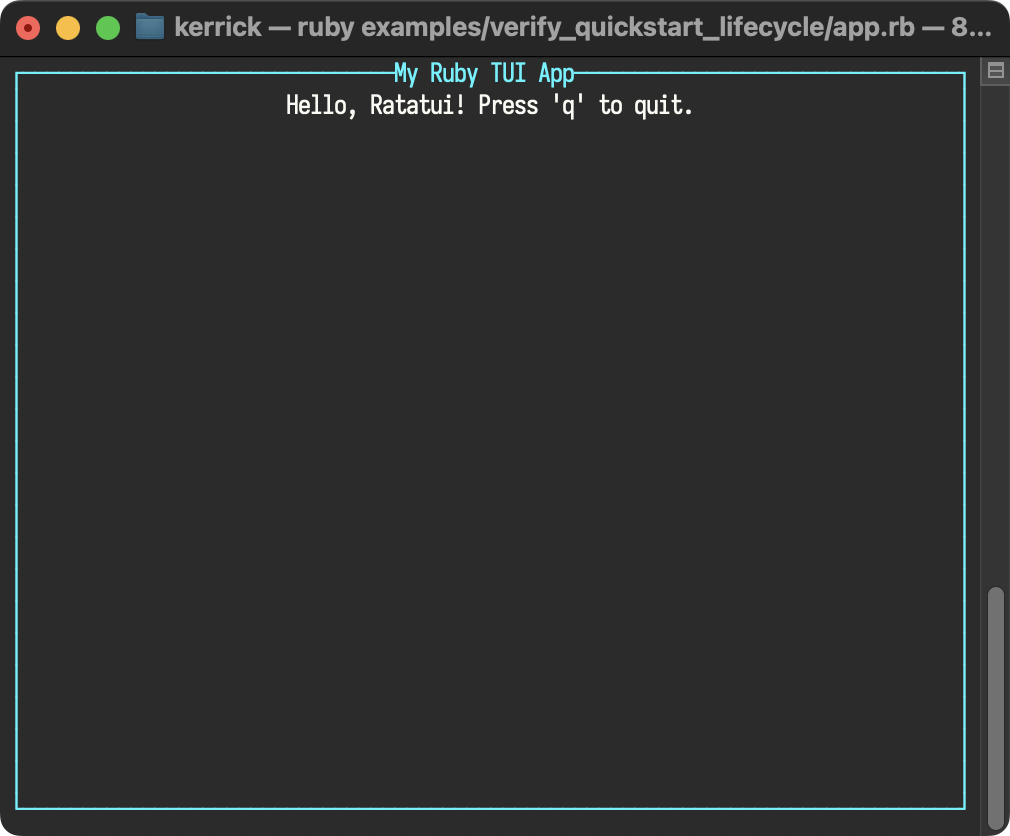
How it works
-
RatatuiRuby.init_terminal: Enters raw mode and switches to the alternate screen. -
Immediate Mode UI: On every iteration, describe your UI by creating
Dataobjects (e.g.,Paragraph,Block). -
RatatuiRuby.draw { |frame| ... }: The block receives aFrameobject as a canvas. Render widgets onto specific areas. Nothing is drawn until the block finishes, ensuring flicker-free updates. -
RatatuiRuby.poll_event: Returns a typedEventobject with predicates likekey?,mouse?,resize?, etc. ReturnsRatatuiRuby::Event::Noneif no events are pending. Use predicates to check event type without pattern matching. -
RatatuiRuby.restore_terminal: Essential for leaving raw mode and returning to the shell. Always wrap your loop inbegin...ensureto guarantee this runs.
Idiomatic Session
You can simplify your code by using RatatuiRuby.run. This method handles the terminal lifecycle for you, yielding a Session object with factory methods for widgets.
RatatuiRuby.run do |tui|
  loop do
    # 2. Create your UI with methods instead of classes.
    view = tui.paragraph(
      text: "Hello, Ratatui! Press 'q' to quit.",
      alignment: :center,
      block: tui.block(
        title: "My Ruby TUI App",
        title_alignment: :center,
        borders: [:all],
        border_color: "cyan",
        style: { fg: "white" }
      )
    )

    # 3. Use RatatuiRuby methods, too.
    tui.draw do |frame|
      frame.render_widget(view, frame.area)
    end

    # 4. Poll for events with pattern matching
    case tui.poll_event
    in { type: :key, code: "q" }
      break
    else
      # Ignore other events
    end
  end
end
How it works
-
RatatuiRuby.run: This context manager initializes the terminal before the block starts and ensuresrestore_terminalis called when the block exits (even if an error occurs). -
Widget Shorthand: The block yields a
Sessionobject (here namedtui). This object provides factory methods for every widget, allowing you to writetui.paragraph(...)instead of the more verboseRatatuiRuby::Paragraph.new(...). -
Method Shorthand: The session object also provides aliases for module functions of
RatatuiRuby, allowing you to writetui.draw(...)instead of the more verboseRatatuiRuby.draw(...). -
Pattern Matching for Events: Use
case...inwith pattern matching for elegant event dispatch. Always include anelseclause at the end to catch unmatched event types (mouse, resize, paste, focus, etc.), otherwise Ruby raisesNoMatchingPatternError.
For a deeper dive into the available application architectures (Manual vs Managed), see Application Architecture.
Adding Layouts
Real-world applications often need to split the screen into multiple areas. RatatuiRuby::Layout lets you do this easily.
loop do
  tui.draw do |frame|
    # 1. Split the screen
    top, bottom = tui.layout_split(
      frame.area,
      direction: :vertical,
      constraints: [
        tui.constraint_percentage(75),
        tui.constraint_percentage(25),
      ]
    )

    # 2. Render Top Widget
    frame.render_widget(
      tui.paragraph(
        text: "Hello, Ratatui!",
        alignment: :center,
        block: tui.block(title: "Content", borders: [:all], border_color: "cyan")
      ),
      top
    )

    # 3. Render Bottom Widget with Styled Text
    # We use a Line of Spans to style specific characters
    text_line = tui.text_line(
      spans: [
        tui.text_span(content: "Press '"),
        tui.text_span(
          content: "q",
          style: tui.style(modifiers: [:bold, :underlined])
        ),
        tui.text_span(content: "' to quit."),
      ],
      alignment: :center
    )

    frame.render_widget(
      tui.paragraph(
        text: text_line,
        block: tui.block(title: "Controls", borders: [:all])
      ),
      bottom
    )
  end

  case tui.poll_event
  in { type: :key, code: "q" }
    break
  else
    # Ignore other events
  end
end
How it works
-
tui.layout_split(RatatuiRuby::Layout.split): Takes an area (likeframe.area) and splits it into multiple sub-areas based on constraints. -
tui.constraint_*(RatatuiRuby::Constraint): Defines how space is distributed (e.g.,percentage,length,min,max). -
Frame#render_widget(widget, rect): You pass the specific area (liketoporbottom) to render the widget into that exact region. -
tui.text_span(RatatuiRuby::Text::Span): Allows for rich styling within a single line of text.
Examples
These examples showcase the full power of ratatui_ruby. You can find their source code in the examples directory.
Sample Applications
Full-featured examples demonstrating complex layouts and real-world TUI patterns.
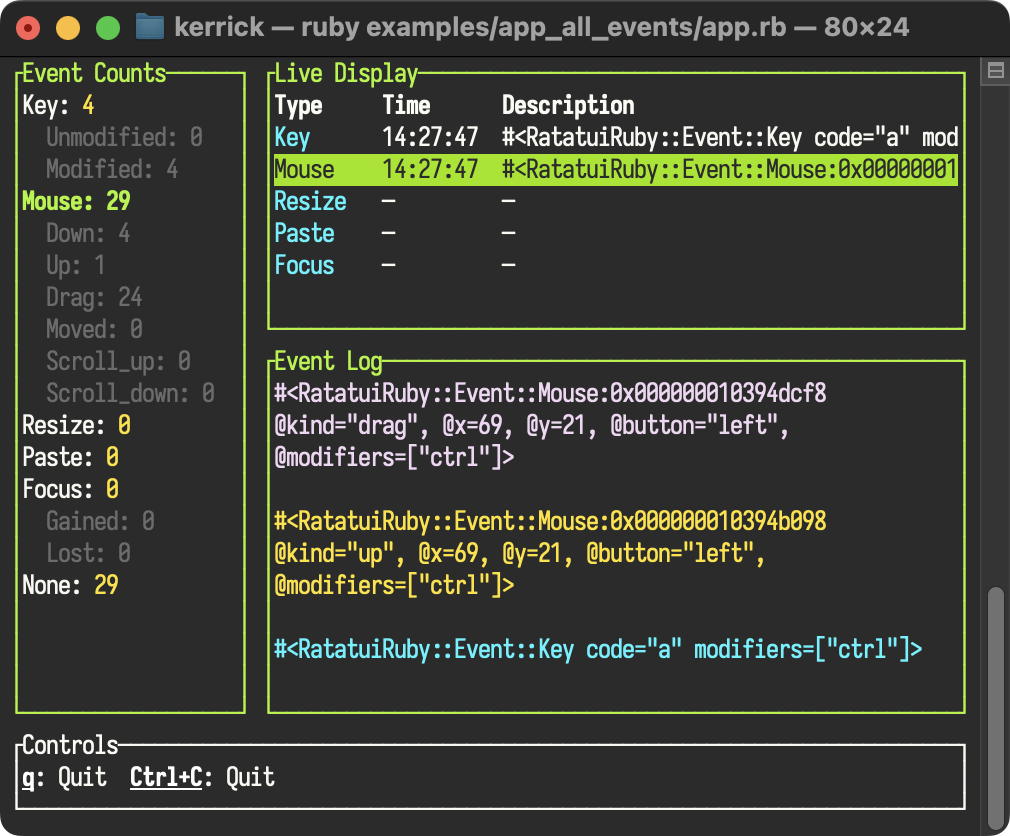
All Events
Handling terminal events is unpredictable. Developers need to know exactly what the terminal sends for Ctrl+C or a mouse drag.
This app captures and visualizes every event—keys, mouse, resize, paste, and focus.
Use it to debug your input handling or verify terminal behavior.
What you’ll learn:
-
Proto-TEA Architecture: Implements unidirectional data flow (Model-View-Update) with immutable state and pure functions.
-
Event Handling: Captures and distinguishes all input types, including modifiers (
Ctrl+C) and focus changes. -
Scalable Structure: Organizes a non-trivial application into small, focused classes instead of a monolithic script.
Color Picker
Interactive tools require complex state. Mapping mouse clicks to widgets and handling modal dialogs creates messy code if handled in the main loop.
This app implements a full Color Picker using a “Proto-Kit (Component-Based)” pattern. Each component encapsulates its own rendering, state, and event handling.
Use it to build forms, editors, and mouse-driven tools.
What you’ll learn:
-
Proto-Kit Architecture: Self-contained components with
render(tui, frame, area)andhandle_event(event). -
Encapsulated Hit Testing: Components cache their render area and check
contains?internally. -
Modal Dialogs: Implements overlay patterns that intercept input via Chain of Responsibility.
Custom Widget (Escape Hatch)
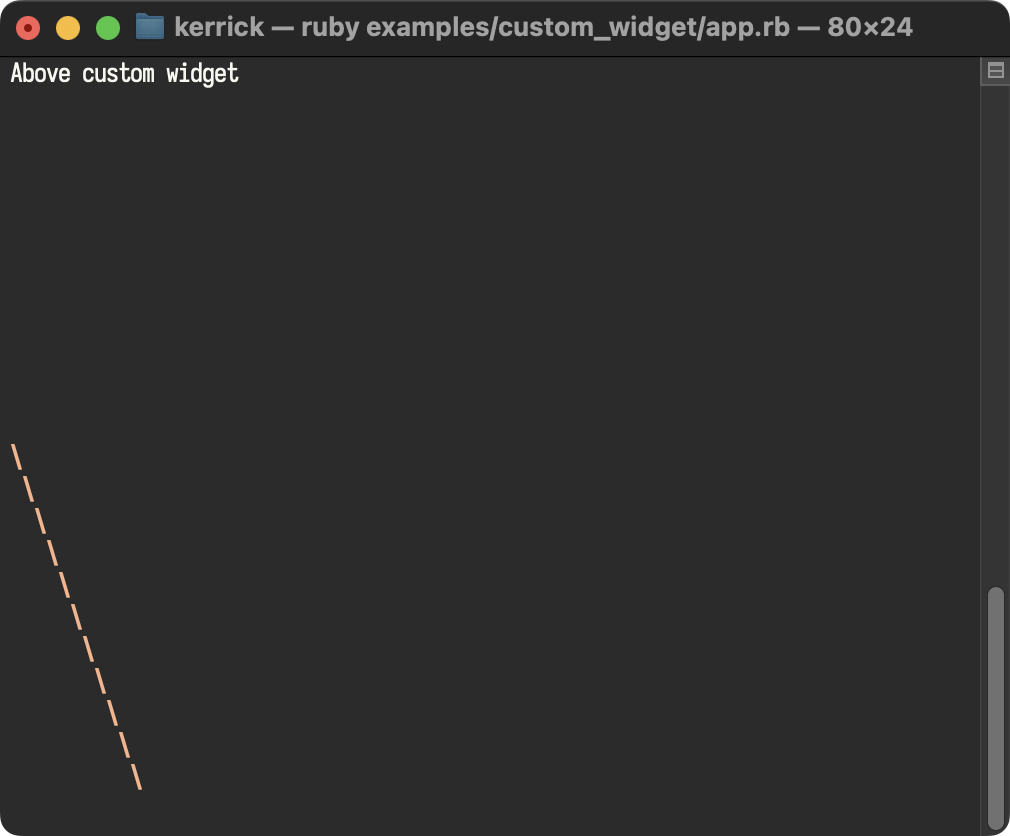
Demonstrates how to define a custom widget in pure Ruby using the render(area, buffer) escape hatch for low-level drawing.
Layout Split Demo
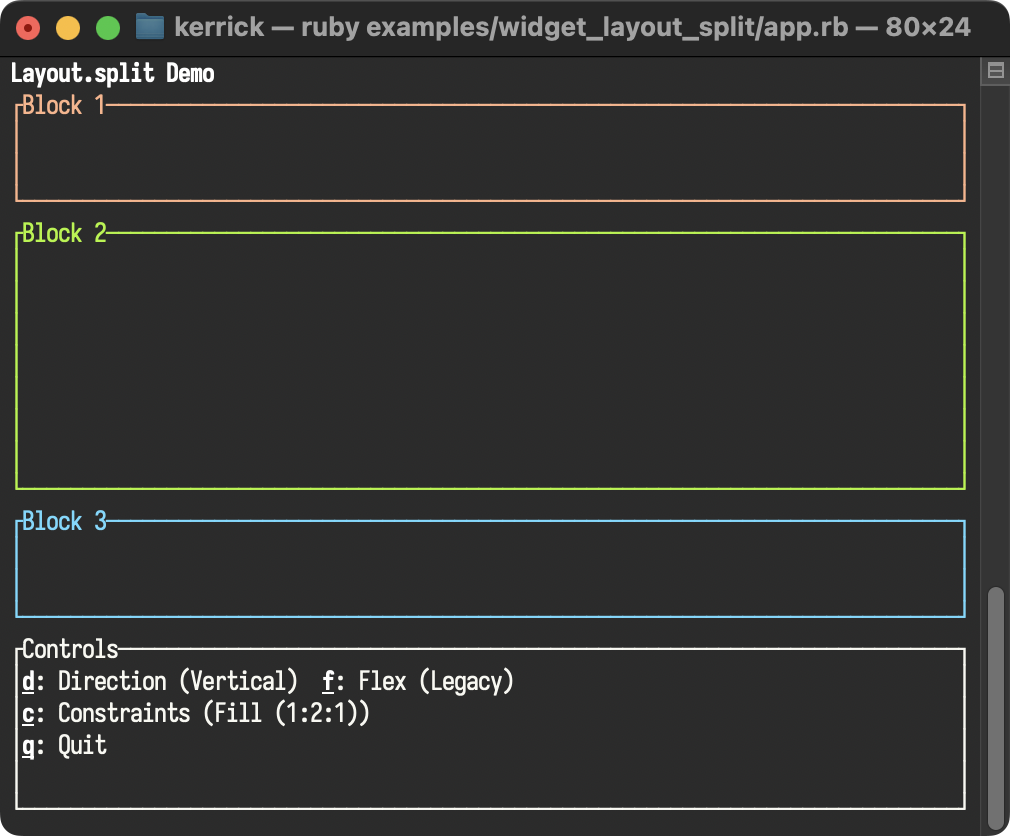
Demonstrates Layout.split with interactive attribute cycling. Features hotkey controls For direction (vertical/horizontal), all 7 flex modes (legacy, start, center, end, space_between, space_around, space_evenly), and constraint types (fill, length, percentage, min, ratio).
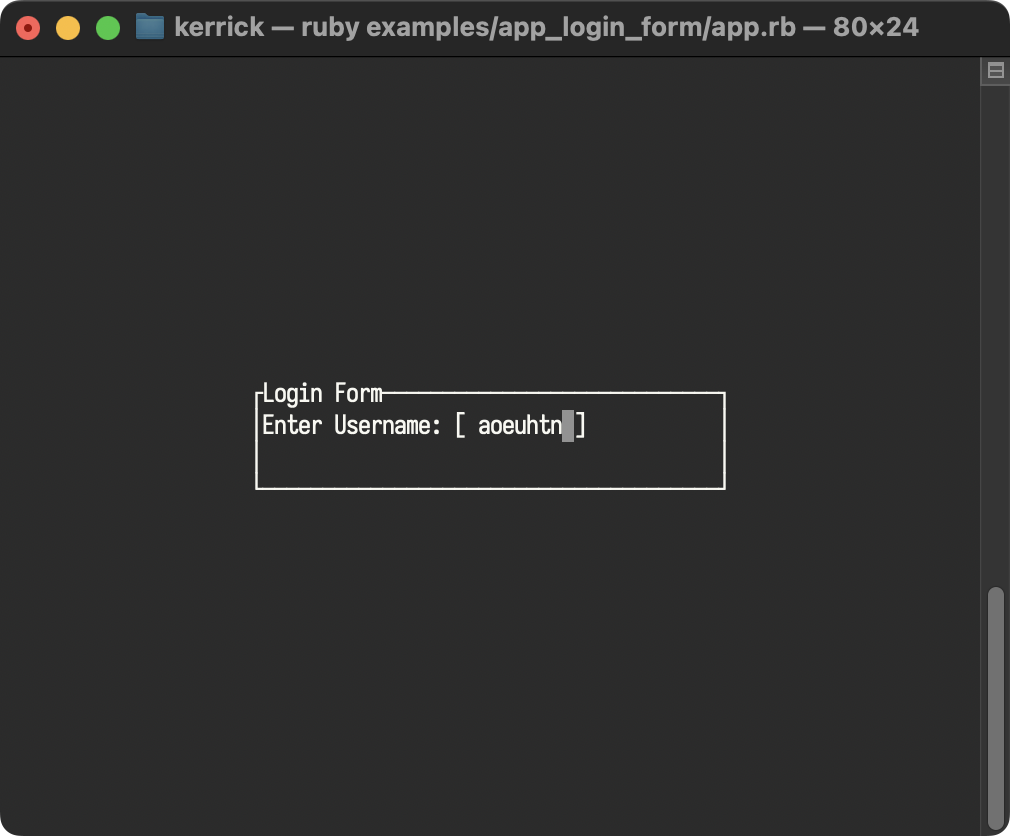
Login Form
Shows how to use Overlay, Center, and Cursor to build a modal login form with text input.
Widget Demos
These smaller, focused examples demonstrate specific widgets and their configuration options.